


Amazon A++ Content: 11 Proven Conversion Plays for 2026
TL;DR
Amazon A++ content (now officially called Premium A+ Content) is a free upgrade over Basic A+ that gives brand-registered sellers access to HD video, interactive hotspots, image carousels, and shoppable comparison charts. Amazon claims it can lift sales by up to 20%, though real-world results depend heavily on execution and product category. In 2026, A++ content also feeds Amazon’s Rufus AI, which mediates roughly 20% of mobile traffic, making it a discovery tool and not just a conversion play. This guide covers eligibility, module differences, design strategy, rejection pitfalls, A/B testing, and when to hire help.
At-a-Glance: Basic A+ vs. Premium A+ (A++) vs. No A+
| Dimension | No A+ | Basic A+ | Premium A+ (A++) |
|---|---|---|---|
| Cost | N/A | Free | Free |
| Modules per ASIN | Plain-text description | Up to 5 | Up to 7 |
| Video | No | No | Yes (3-min HD) |
| Interactive hotspots | No | No | Yes |
| Shoppable comparison chart | No | Basic chart only | Yes (Add to Cart embedded) |
| Full-width images | No | No | Yes |
| Sales lift (Amazon data) | Baseline | Up to 8% | Up to 20% |
| Rufus AI value | Low | Moderate | High |
| Eligibility | Any seller | Brand Registry | Brand Registry + Brand Story on all ASINs + 5–15 approved A+ submissions |
Now, the 11 things that actually matter.
1. A++ Content Is Not the Same as Basic A+
The terminology trips people up. “A++ content” is the legacy seller shorthand for what Amazon now calls Premium A+ Content. Before that, it was called EBC Gold. All three names describe the same thing: an expanded content format with modules that Basic A+ simply cannot access.
Basic A+ gives sellers up to 5 customizable modules per ASIN, including image-and-text blocks, simple comparison charts, and feature callouts. Premium A+ opens up to 7 modules selected from a library of 19 total, including:
- 3-minute HD video in multiple formats
- Image carousels that shoppers can swipe through
- Hover-over hotspots that reveal product details on tap or mouseover
- Interactive FAQ accordions
- Full-width lifestyle images (no white borders)
- Shoppable comparison charts with Add to Cart buttons embedded directly in the module
The difference isn’t incremental. Premium A+ is a fundamentally different storytelling tool. One practitioner on a Substack newsletter focused on Amazon strategy put it well: the standard modules let you describe your product, while the premium modules let you sell your product. For a deeper breakdown of what each module does, see our Premium A+ eligibility guide.
2. Premium A+ Is Free, but Eligibility Isn’t Automatic
Amazon charges nothing for Premium A+ Content. That’s the good news. The catch is that you have to earn access through a set of qualification gates that Amazon evaluates on a rolling weekly basis at the account level.
The baseline requirements:
- A Professional selling account
- A Brand Representative or Reseller role assigned to a brand enrolled in Amazon Brand Registry
- A Brand Story module published across all brand-owned ASINs in your catalog
- A track record of approved A+ Content submissions in the trailing 12 months
Here’s where it gets murky. Some sellers report needing 5 approved A+ submissions to unlock Premium. Others say the threshold is 15. The honest answer is that Amazon adjusts the qualification criteria periodically and does not publish a fixed rule set. Check your A+ Content Manager in Seller Central for a banner notification confirming eligibility.
Worth noting: A+ Content eligibility is gated on Brand Registry, not on your fulfillment channel. Both FBA and FBM sellers can publish Standard and Premium A+ on the ASINs they own.
If you’re running into suppressed listing issues that might complicate your Brand Registry status, resolve those first. You can’t build A++ content on listings Amazon won’t display.
3. Amazon’s Conversion Numbers Are Real, With a Caveat
Amazon states that Basic A+ Content can increase sales by up to 8%, while Premium A+ can increase sales by up to 20%. Those numbers get repeated everywhere, and they aren’t fabricated. But they need context.
Practitioners on Reddit’s r/FBA and in Amazon seller communities consistently point out that those are Amazon’s self-reported numbers from their own marketing material, not what sellers’ actual session-to-order rates show after they go live. The more granular reality:
- Standard A+ Content: 3 to 10% conversion rate improvement. Basic modules with lifestyle photos and some text land at the low end. Well-executed comparison tables and feature-focused layouts hit the higher end.
- Premium A+ with video: Categories with complex or considered-purchase products (home goods, supplements, beauty) see the largest lifts. Some sellers report 15 to 18% conversion improvement.
- Commodity categories: Expect 0.3 to 0.7 percentage points of lift.
One case study from Olifant Digital showed a 51% conversion rate increase and 124% revenue gain from A/B testing images, bullets, and Premium A+ together. But that was a full listing overhaul, not A++ content alone.
The flip side is just as important. A few sellers have actually seen conversion drop after adding A+ Content, because bad A+ is worse than no A+. Generic template fills with stock text and uninspired imagery can actively hurt trust.
→ If your brand needs help building A++ content that moves the conversion needle, EZCommerce’s content generation service handles strategy, design, and iteration for Amazon listings.
4. In 2026, A++ Content Feeds Amazon’s AI Recommendation Engine
This is the single biggest shift that most guides ignore. In 2026, roughly 20% of Amazon traffic is mediated by Rufus AI, Amazon’s shopping assistant. Rufus doesn’t just read your bullet points. It scrapes your A+ Content text modules to answer shopper questions like “Is this cutting board good for outdoor grilling?” or “Which protein powder dissolves best in cold water?”
Here’s what that means practically:
- A+ body text has historically not been indexed for Amazon keyword search. That hasn’t changed. You won’t rank for a keyword just because it appears in your A+ module.
- But Rufus treats A+ Content as a knowledge base. Sections structured as Q&As, comparison tables, and specific, verifiable claims improve the likelihood that Rufus will recommend your product.
- The alt-text field that sellers once controlled for keyword purposes is being handed to AI for visual tagging. Stuffing keywords there is no longer the play.
The practical takeaway: move your A++ content away from being “image-only” and toward being “text-rich.” Write module text in the phrasing shoppers would use when asking Rufus a question. Think “Is this safe for sensitive skin?” rather than “Dermatologist-tested formula with advanced peptide complex.”
For more on how Amazon’s algorithm connects conversion behavior to organic visibility, our keyword ranking guide explains the mechanism in detail.
5. Lead With Objection-Killing, Not Feature-Listing
The best Amazon A++ content doesn’t list features. It eliminates purchase hesitations.
Before you design a single module, mine your competitors’ 1-star and 3-star reviews. Read every question in your product’s Q&A section. Those are the objections your A+ Content needs to address. If shoppers keep asking “Does this fit standard US outlets?” or “Is the coating PFOA-free?”, your A++ content should answer those questions visually and immediately.
A framework that works well here, originally described by BowTied Amazon (a practitioner newsletter), is the VRIO model:
- Valuable: Does this module answer something the shopper actually cares about?
- Rare: Does it communicate something competitors’ listings don’t?
- Inimitable: Is it hard for a competitor to copy this exact visual proof?
- Organized for Value: Is it positioned where the shopper will see it before bouncing?
The 70/30 rule is a useful guide: roughly 70% visuals, 30% text. Let the images do the heavy lifting. Comparison charts are especially powerful because they answer “which variant is right for me?” and reduce the chance that a shopper bounces to a competing listing to figure it out on their own.
6. Prioritize Your Top-Revenue ASINs First
Don’t try to build Premium A+ across your full catalog at once. One seller’s simple math makes the case for prioritization: “If you’re doing $500K/year on a product and you get a 5% lift, that’s $25K in additional revenue.”
Premium A+ is worth building for your top 10 ASINs by revenue, where even a modest conversion lift moves meaningful dollars. For a long-tail ASIN doing $20K/year, a 5% lift is $1,000. That might not justify the time investment when you could spend those hours on a hero product instead.
The prioritization framework:
- Rank ASINs by trailing-12-month revenue
- Identify which ones already have Basic A+ (upgrade candidates) vs. no A+ at all (new builds)
- Calculate incremental revenue at conservative lift assumptions (3–5%, not 20%)
- Weigh that against content creation cost ($300–$1,000 per ASIN from an agency)
- Start with the ASINs where contribution margin math clearly justifies the investment
This kind of profit-first thinking around TACOS applies to every Amazon growth decision, not just content. The same ASIN prioritization logic that drives your ad budget allocation should drive your A++ content rollout.
7. Mobile-First Design Is Non-Negotiable
The majority of Amazon shopping sessions happen on phones. Full-width Premium A+ images create an immersive mobile experience that standard modules, with their constrained image widths and side-by-side layouts, simply can’t replicate.
But mobile-first design goes beyond choosing full-width modules. Practical considerations:
- Text in images must be readable on small screens. This is one of the most common rejection reasons and one of the most common design failures that clears review but tanks performance. If a shopper has to pinch-zoom to read your comparison chart, you’ve lost them.
- Sliders and interactive modules render differently on mobile vs. desktop. Always preview both before submitting. What looks elegant on a 27-inch monitor might stack awkwardly on an iPhone SE.
- Video autoplay behavior varies. On mobile, Premium A+ videos typically require a tap to play. Your thumbnail frame matters enormously because most shoppers won’t tap unless the still image is compelling.
One Amazon creative specialist noted that the biggest advantage of Premium A+ is full-width image capability and video, and that on mobile, a full-width lifestyle image creates an immersive experience that standard modules can’t replicate. This is where the 20% conversion lift comes from for brands that execute well.
8. Know What Gets Your Amazon A++ Content Rejected
Amazon’s content review team rejects A+ submissions for predictable reasons. Knowing these upfront saves weeks of revision cycles.
Top rejection triggers:
- Superlative claims: Phrases like “guaranteed results,” “best on Amazon,” or “#1 seller” violate guidelines.
- Emojis: A quick path to rejection.
- Multiple logos in one module: Third-party logos are generally not allowed unless absolutely necessary.
- Reused gallery images: Amazon wants A+ Content to showcase unique aspects. Copying your main product images into A+ modules will get flagged.
- Competitor mentions: Don’t name competitors in comparison charts. Use generic column headers like “Other brands” or “Standard alternatives.”
- Health claims without disclaimers: Supplement and beauty brands get hit with this constantly.
- Grammar and spelling errors: Auto-flagged by the review system.
- Alt text keyword stuffing: The alt text field is reviewed. Write descriptive, accurate alt text, not keyword strings.
Standard A+ Content approval typically takes 7 business days. Submit well before product launches or promotional events. If your listing gets suppressed during this window, the delay compounds.
9. A/B Test Your A+ With Manage Your Experiments
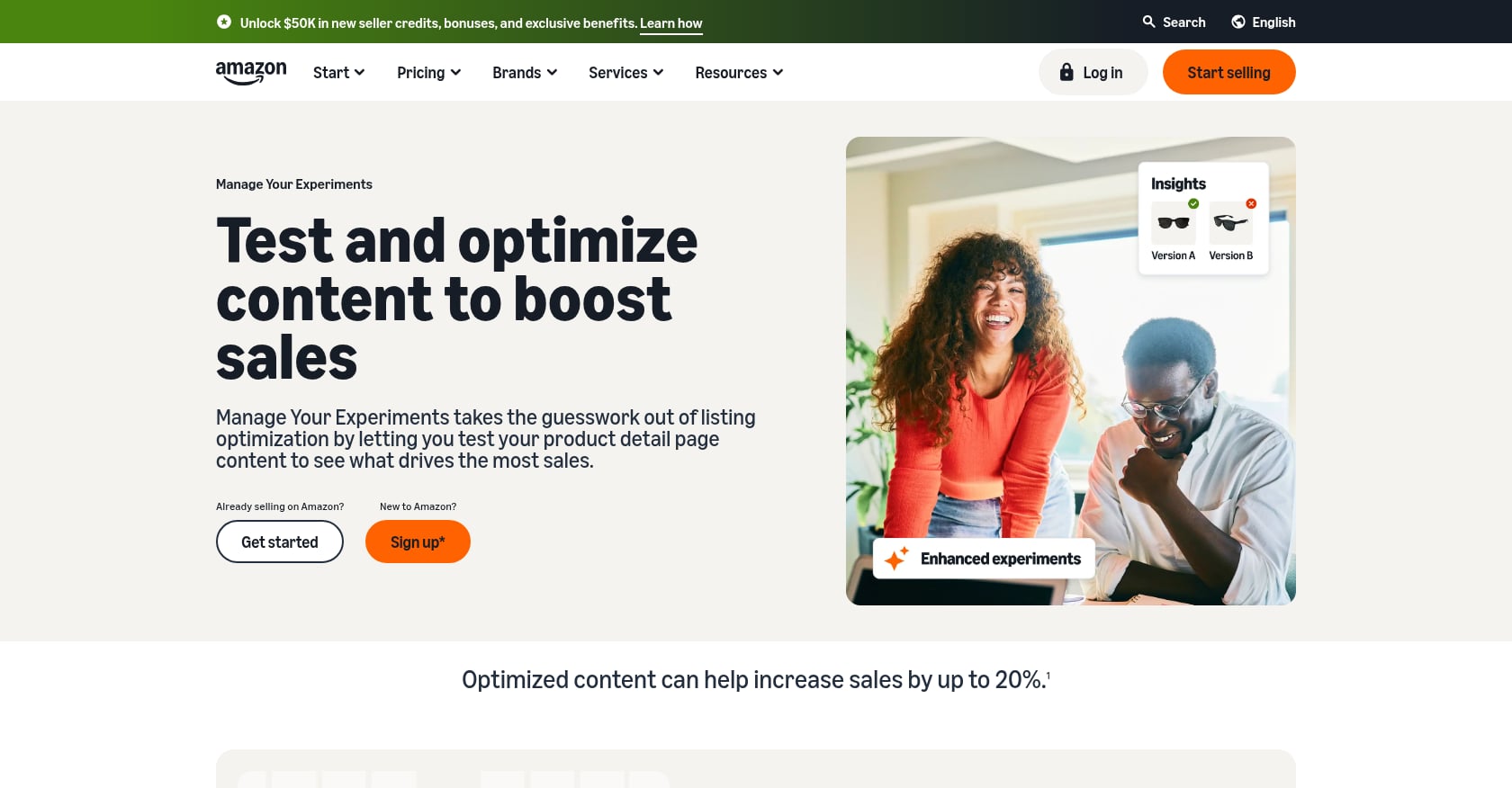
Publishing A++ content is not the finish line. It’s the starting point. Amazon’s Manage Your Experiments tool lets Brand Registry sellers split traffic 50/50 between two versions of a listing element (main image, title, A+ Content, brand story, or product video) and run controlled tests.
The mechanics:
- Tests run for 4 to 10 weeks
- Amazon declares a winner at 95% statistical significance
- You can test one element at a time (headline, hero image, or full module layout)
Amazon claims A/B tests can lift sales up to 25%, but only if you avoid four common mistakes: stopping tests early, testing during Prime Day or BFCM (when traffic patterns are abnormal), changing more than one variable at a time, or testing on ASINs with too little traffic to reach significance.
Realistic expectations: look for a directional lift of at least 1 percentage point on considered-purchase categories. Commodity categories may see 0.3 to 0.7 points. Even a 0.5% CVR lift on a high-volume ASIN compounds into significant annual revenue.
For a broader framework on running conversion tests, our A/B testing roadmap covers methodology that applies to both Amazon and D2C.
10. A++ Content Amplifies Your Ad Spend
Better A++ content doesn’t just convert organic traffic. It makes every paid click more valuable. The math is straightforward: if your conversion rate improves by even 5%, you need fewer clicks to generate the same number of orders. That means your effective cost per acquisition drops without touching a single bid.
The compounding loop works like this:
- Premium A+ improves conversion rate
- Higher CVR signals to Amazon’s algorithm that your listing deserves more organic visibility
- Better organic rank reduces your dependence on paid clicks
- Lower paid dependency improves your TACOS ratio
- Better TACOS means more of every dollar stays as profit
Shoppable comparison charts specifically help here. When a shopper lands on your listing from a Sponsored Products ad and sees a comparison chart with Add to Cart buttons for your other variants, they stay inside your brand ecosystem instead of bouncing to a competitor. That’s less wasted ad spend and more cross-sell revenue.
This is why treating A++ content as an isolated creative project misses the point. It’s one piece of a system that includes PPC campaign architecture, listing SEO, and inventory planning.
→ To see how A++ content fits into a full Amazon growth strategy, explore EZCommerce’s Amazon services.
11. When to Hire an Agency vs. DIY vs. Freelancer
The right approach depends on your catalog size, internal capabilities, and how much revenue is at stake.
DIY
- Best for: Sellers with fewer than 5 ASINs who have photography and basic design skills (Canva proficiency at minimum)
- Cost: Your time plus any stock photo subscriptions
- Risk: Rejection loops from guideline mistakes can delay launches by weeks. The learning curve is real.
Freelancer (Fiverr, Dribbble, Upwork)
- Best for: Sellers who need quality visuals but have their own strategy figured out
- Cost: $125–$700 per module set. Vetted Fiverr Pro freelancers cluster around $125–$450. Dribbble specialists charge $600–$700 for 7-module Premium A+ sets with a 10-day turnaround.
- Risk: Quality varies wildly. Always ask for portfolio examples in your specific product category.
Specialized agency
- Best for: Brands with 10+ ASINs, $5K+/month in ad spend, and a need for strategy alongside execution
- Cost: $300–$1,000 per ASIN for A+ design. Full-service Amazon management (covering PPC, listing SEO, A+ Content, inventory-aware campaign pacing, and integrated reporting) typically runs $2,000–$7,000/month for mid-market brands.
- Advantage: Agencies handle strategy, design, A/B testing, and iteration as a system. They also catch rejection issues before submission.
Decision rule: If your ad spend exceeds $5K/month and your catalog includes more than 10 ASINs, agency ROI is typically positive because the conversion lift on your hero products alone covers the cost.
→ Not sure where your listings stand today? Request a free brand audit to identify which ASINs would benefit most from a Premium A+ upgrade.
Post-Publish: How to Measure Whether Your A++ Content Actually Worked
Most guides stop at “publish and hope.” Here’s a concrete measurement protocol.
Baseline: Pull SKU-level conversion rate, sessions, and contribution margin for the 30 days before you publish new A++ content.
Score at day 30: Compare the same metrics against the pre-publish baseline. Look at:
- Session-to-order conversion rate (the primary signal)
- Revenue per session
- Contribution margin per unit (to confirm the lift is profitable, not just volume-driven)
Iterate: For ASINs that didn’t move, review the module layout. Was the content addressing real objections? Was the video compelling? Did mobile rendering break the experience? Revise and re-test.
As one practitioner put it, “The point of publish is the only honest baseline.” Don’t compare against a period three months ago when seasonality was different. Use trailing 30 days, period.
Frequently Asked Questions
Is Amazon A++ content the same as Premium A+ Content?
Yes. “A++ content” is the legacy term sellers used before Amazon standardized the name to Premium A+ Content. Before that, it was called EBC Gold. All three refer to the same enhanced content format with video, hotspots, carousels, and shoppable comparison charts.
How much does Amazon A++ content cost?
Amazon charges nothing for Premium A+ Content. It’s free for eligible sellers. The costs come from content creation: freelancers charge $125–$700 per module set, while agencies charge $300–$1,000 per ASIN for design and strategy. Full-service Amazon management that includes A+ as one component typically runs $2,000–$7,000/month.
Does A++ content help with Amazon SEO?
Not directly. A+ body text is not indexed for Amazon keyword search. However, better A++ content improves conversion rates, and higher conversion rates signal to Amazon’s algorithm that your listing deserves more visibility. In 2026, Rufus AI also scrapes A+ text modules as a knowledge base for product recommendations, making well-structured A++ content a discovery asset.
How do I check if I’m eligible for Premium A+ Content?
Go to A+ Content Manager in Seller Central and look for a banner notification confirming Premium eligibility. You need Brand Registry, a Brand Story published on all your catalog ASINs, and between 5 and 15 approved A+ submissions in the trailing 12 months. Amazon evaluates eligibility weekly at the account level.
Can bad A++ content hurt my conversion rate?
Yes. Practitioners report that thin A+ content (2–3 basic modules with stock text and generic imagery) can actually underperform having no A+ at all. Shoppers interpret low-effort content as a signal of a low-quality brand.
How long does Amazon take to approve A++ content?
Standard approval takes approximately 7 business days. Submit well before product launches, promotions, or seasonal events. Rejection for guideline violations (superlative claims, emojis, reused images) resets the clock.
Should I build Premium A+ for every ASIN in my catalog?
No. Start with your top 10 ASINs by revenue, where even a conservative 3–5% conversion lift generates meaningful incremental profit. Roll out to the rest of your catalog over time, prioritizing by contribution margin rather than trying to cover everything at once.
What is the single highest-converting element in Premium A+ Content?
According to multiple practitioners, short-form video (30–60 seconds) demonstrating the product in use is the single highest-converting element available in any listing format right now. It reduces uncertainty, shows scale and real-world context, and keeps shoppers on your listing longer.