


Top 11 Shopify Online Store 2.0 Revenue Boosters (2026)
TL;DR
Shopify Online Store 2.0 replaced the rigid 1.0 architecture with JSON templates, sections on every page, native metafields, drag-and-drop app blocks, and the Dawn reference theme (35% faster than its predecessor). These aren’t cosmetic upgrades. They directly affect page speed, conversion rates, and SEO performance. Less than 1% of new themes still ship on the legacy 1.0 architecture, so migration is a matter of when, not if. This guide breaks down the 11 features that matter most, ranked by their practical impact on revenue.
Why Shopify Online Store 2.0 Matters More in 2026 Than It Did at Launch
When Shopify announced Online Store 2.0 at Unite in June 2021, the pitch was about flexibility: sections everywhere, better app integration, a new reference theme. Five years later, the bigger story is performance and conversion math.
Google’s 2025 CrUX data shows only 43% of Shopify stores pass all three Core Web Vitals. Even a one-second delay in load time can cost up to 7% in conversions. The OS 2.0 architecture was built to solve exactly this problem, but most merchants either haven’t migrated or haven’t taken full advantage of what’s available.
If you’re evaluating whether to increase online sales on Shopify, understanding OS 2.0 is the foundation everything else sits on.
The 11 features below are ordered by practical impact on your revenue, speed, and daily operations. For each one: what it does, what changed from 1.0, why it matters for the bottom line, and what can go wrong.
At-a-Glance: Online Store 1.0 vs. Online Store 2.0
| Dimension | Online Store 1.0 | Online Store 2.0 | Revenue Impact |
|---|---|---|---|
| Sections | Homepage only | Every page | Higher CVR via custom PDPs |
| App integration | Hardcoded into theme files | Drag-drop app blocks | Faster testing cycles |
| Metafields | Required third-party apps or code | Native via admin + editor | SEO + richer listings |
| Templates | Liquid-based, rigid | JSON-based, modular | Faster page loads |
| Reference theme | Debut | Dawn (35% faster) | Speed to CVR gains |
| Page speed baseline | Variable, no modern benchmark | Built for Core Web Vitals | Direct SEO + CVR lift |
| Developer workflow | Manual file editing | CLI + GitHub + Theme Check | Cleaner, faster builds |
| Filtering | Tag-based hacks | Native storefront filtering | Better catalog UX |
| Theme editor | Limited customization | Visual drag-drop builder | Reduced dev costs |
| Content flexibility | Static templates | Dynamic sources + metaobjects | Personalization at scale |
Now for the specifics.
1. EZCommerce D2C Growth Suite for Shopify OS 2.0
Best for: Brands that want a single partner to handle Shopify OS 2.0 migration, CRO, analytics, and paid media under one unified plan.
Every feature on this list requires proper implementation to actually move revenue. EZCommerce is a Shopify Partner agency based in Irvine, California that combines OS 2.0 builds and migrations with conversion rate optimization, GA4/CAPI tracking setup, and Google/Meta ad management. Their D2C Growth Suite (starting at $999/month for EzAds, $1,999/month for EzScale) covers the full stack: theme architecture, PDP and checkout A/B testing, app bloat remediation, inventory coordination, and weekly performance governance.
Why this matters for revenue:
- OS 2.0 migration is a technical project with real risk (broken apps, tracking gaps, checkout issues). A certified Shopify Partner reduces the chance of costly mistakes.
- Their CRO Suite ships A/B test wins in 30 to 45 days, targeting PDP layouts, checkout flows, upsell bundles, and page speed, exactly the areas where OS 2.0’s section architecture enables faster testing.
- Clean GA4 and Conversions API setup means you can measure the actual speed-to-conversion relationship in your store, not just rely on Lighthouse scores.
- Profit-first planning tied to contribution margin keeps optimization grounded in real financial outcomes rather than vanity metrics.
- For brands running both Amazon and D2C channels, EZCommerce manages both under one weekly-governed plan, so OS 2.0 improvements on Shopify feed into a unified growth strategy rather than sitting in a silo.
EZCommerce also offers a free brand audit that includes a 30 to 45 minute call, a scorecard, quick wins, and a 90-day action plan delivered in about 5 to 7 business days. It’s a practical starting point for identifying where your OS 2.0 setup is leaving money on the table.
2. Sections on Every Page
Best for: Merchants who want to build rich, conversion-optimized pages without hiring a developer.
On a 1.0 theme, sections lived exclusively on the homepage. Want to add a testimonial carousel to your product page? A comparison table on a collection page? A FAQ block on a landing page? You needed a developer to hardcode it into the template.
On Shopify Online Store 2.0, sections work on every template: product pages, collection pages, blog posts, cart pages, and any custom page you create. You add, remove, and rearrange them through the visual theme editor.
Why this matters for revenue:
- Product detail pages are where purchase decisions happen. The ability to add trust badges, size guides, cross-sell blocks, and rich media without a developer ticket means faster iteration on conversion experiments.
- CRO teams that understand OS 2.0 section architecture ship tests 3 to 5x faster than generalist teams, according to Skyloom Studios.
- Brands running Google or Meta ads can build dedicated landing pages by rearranging sections, then test different layouts against each other in days instead of weeks.
The gotcha: Sections everywhere is powerful, but it creates a temptation to overload pages. More sections means more render work. Every section you add should have a clear purpose tied to user behavior or conversion data, not just “it looks nice.”
For a deeper look at testing section layouts systematically, the A/B testing roadmap for checkouts applies the same principles to post-PDP optimization.
3. App Blocks (Theme App Extensions)

Best for: Stores that rely on multiple apps and want code-free control over where app content appears.
In the 1.0 world, installing a Shopify app often meant the app injected code directly into your theme files. Uninstalling the app didn’t always remove that code. Moving the app’s output from one page location to another required editing Liquid templates by hand.
OS 2.0 introduced app blocks (formally called Theme App Extensions). Apps that support the new standard appear as draggable blocks in the theme editor. You choose which pages they appear on and exactly where on the page they render.
Key capabilities:
- Add, move, or remove app functionality without touching code
- Control app visibility per template (show reviews on PDPs but not collection pages)
- Uninstalling an app cleanly removes its blocks, no leftover code fragments
The gotcha (and it’s a big one): Multiple app review threads on the Shopify Community reveal a recurring frustration: some older apps were never updated for OS 2.0 compatibility. These apps still rely on code injection rather than app blocks, which means they can behave unpredictably on 2.0 themes, sometimes requiring manual code workarounds. Before installing any app, check whether it explicitly supports Theme App Extensions. If the listing doesn’t mention it, ask the developer directly.
Revenue angle: The average Shopify store runs 8 to 14 apps. Each one injects scripts. CRO specialist Kaspian Fuad notes that 25 or more apps typically push Largest Contentful Paint past 4 seconds on mobile, and Google’s research shows conversion drops 4.42% for each additional second of load time between 0 and 5 seconds. App blocks make it possible to audit and control this, but only if you’re intentional about it.
4. Native Metafields and Metaobjects
Best for: Brands that need structured product data for SEO, rich snippets, and consistent catalog presentation.
Previously, adding custom data fields to products (specifications, certifications, material details, wash instructions) required a third-party metafield app or custom code. Some app providers stored this data in their own databases rather than Shopify’s, which added JavaScript overhead and slowed page loads.
In Shopify Online Store 2.0, metafields are built into the admin. You define them once, populate them per product, and surface them in your theme through the editor. No app required.
Metaobjects take this further by letting you group metafields into reusable content structures. Define a “Material Spec” metaobject with fields for fabric type, weight, origin country, and care instructions, then apply it across hundreds of products instead of entering each field individually.
SEO impact:
- Metafields let you insert keyword-rich product information (specifications, certifications, special attributes) that search engines can crawl
- This structured data feeds into schema markup and can qualify products for Google rich snippets
- Richer product pages improve relevance signals and organic ranking opportunities
For a broader view of how structured data fits into store optimization, the ecommerce SEO strategies playbook covers the full stack.
The gotcha: Metafields are only useful if they’re populated consistently. Stores with thousands of SKUs need a data entry workflow (CSV import, bulk editing, or API automation) before the SEO benefits materialize. The feature is easy to set up but discipline-intensive to maintain at scale.
5. JSON Templates
Best for: Developers and technically proficient merchants who want modular, high-performance page architectures.
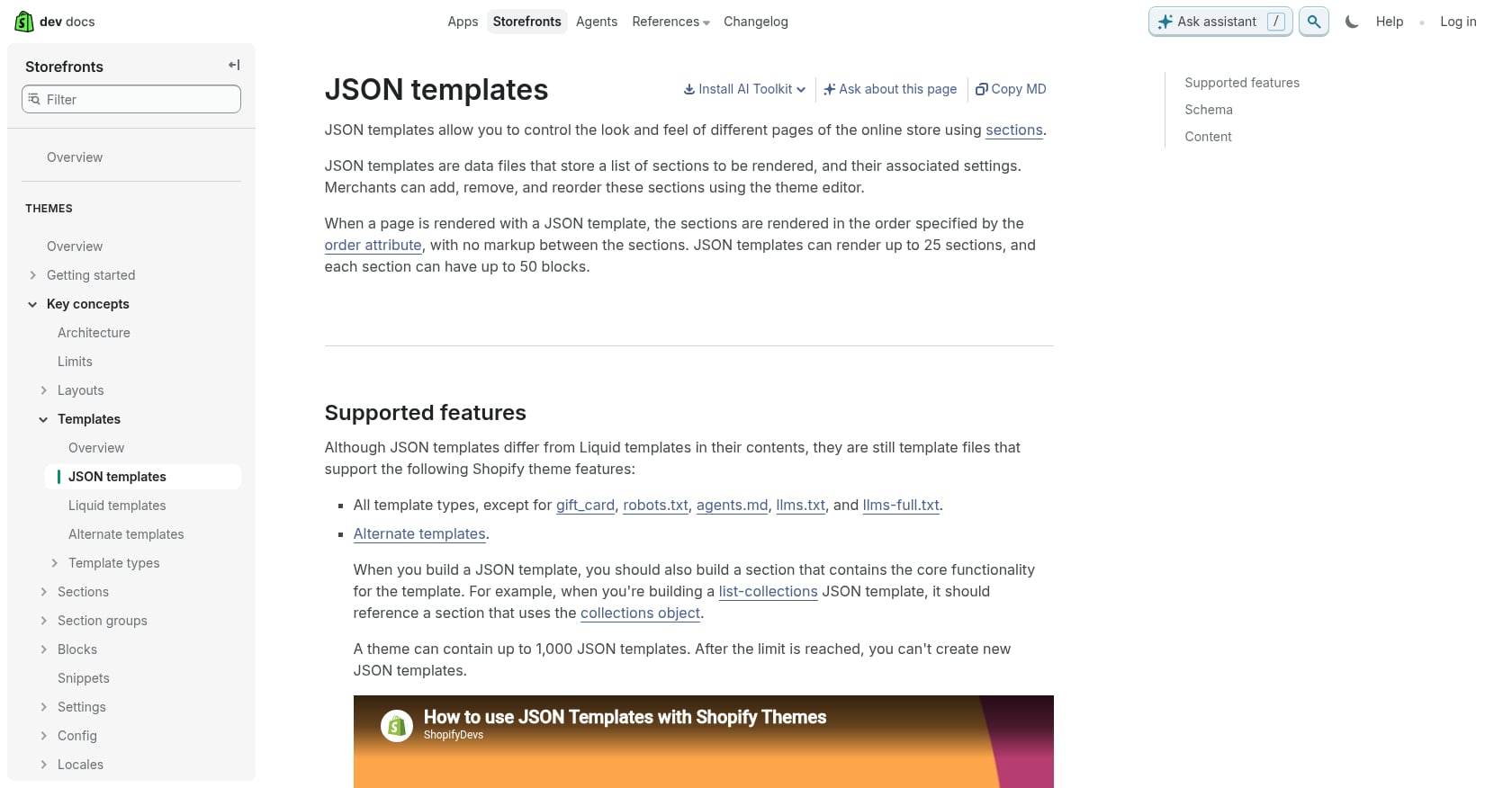
This is the structural change underneath everything else. Online Store 1.0 themes used Liquid-based templates, where each page’s structure was defined in a single file mixing logic, markup, and content. Changing the layout of a product page meant editing code.
OS 2.0 themes use JSON-based templates. The JSON file defines which sections appear on a page and in what order; the sections themselves handle the rendering. This separation is what makes sections on every page, app blocks, and the improved theme editor possible.
Practical implications:
- Non-developers can rearrange page structure through the editor because the JSON configuration is what changes, not the Liquid code
- Developers can build reusable section components that work across multiple templates
- Page load performance improves because the architecture is inherently more modular and cacheable
The gotcha: Converting a 1.0 theme to 2.0 means rewriting Liquid templates as JSON configurations. This isn’t a one-click process. For stores with heavily customized themes, it’s a template-by-template migration that requires developer involvement. Practitioners on the Shopify Community consistently advise that this is a complex, store-specific process rather than something a forum post can walk you through.
6. Dawn, the Reference Theme
Best for: New stores that want the fastest possible starting point, or existing stores willing to rebuild on a clean foundation.
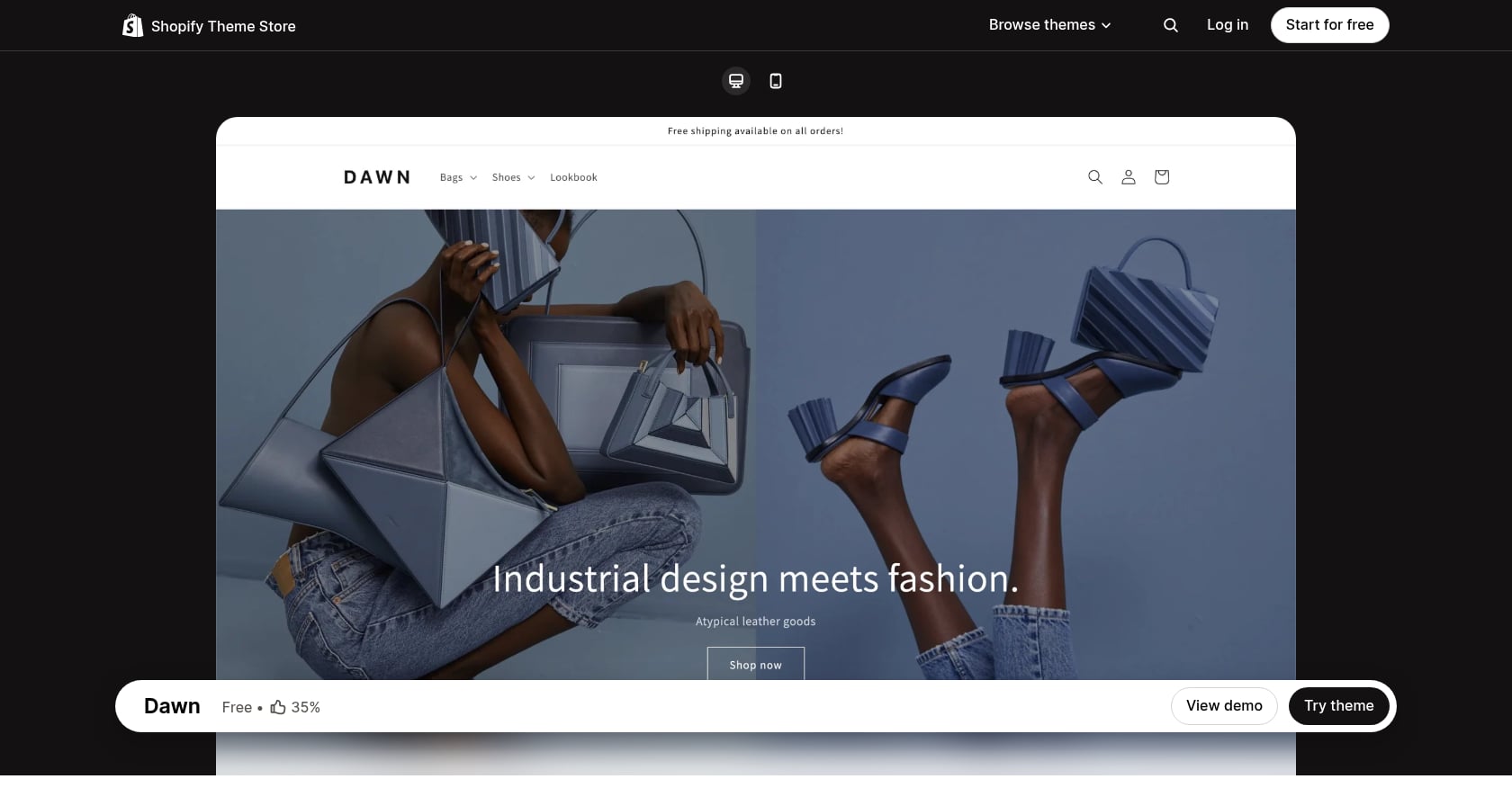
Dawn is Shopify’s reference theme for Online Store 2.0, and it was designed to be a performance benchmark. Built with minimal JavaScript, semantic HTML, and efficient CSS, Dawn is 35% faster than the previous default theme, Debut.
Performance numbers:
- Lighthouse scores: 96 desktop, 93 mobile (out of the box)
- Loads in under 1.5 seconds on mobile in lab conditions
- Among OS 2.0 free themes, Dawn leads at 92, followed by Refresh (88) and Sense (86) per ThunderPageSpeed benchmarks from March 2026
The real-world caveat: Those numbers represent Dawn in a vacuum. Real-world Dawn stores average 55 to 65 on mobile PageSpeed once you add 5 to 10 apps, custom fonts, and unoptimized product images. The theme gives you a fast starting line, but what you bolt onto it determines where you finish.
Revenue math: Stores switching to fast, lightweight OS 2.0 themes typically see 15 to 40% faster load times, 10 to 30% lower bounce rates, and 8 to 25% higher conversion rates in the first month, according to CRO practitioners. Lambert, a Shopify merchant that upgraded from 1.0 to 2.0, saw a 32% increase in customers reaching checkout and a 19% increase in repeat purchase rate, per Shopify’s own case study.
If you’re considering how theme speed connects to broader conversion optimization, our guide on optimizing website conversion rate covers the full picture.
7. Improved Theme Editor and Admin
Best for: Marketing teams and store owners who want to make structural changes without filing developer tickets.
The Shopify Online Store 2.0 theme editor is a significant upgrade over its predecessor. It provides a visual, drag-and-drop interface for customizing every page template, not just the homepage. You can preview changes across device sizes, add or rearrange sections, configure app blocks, and connect dynamic data sources, all from a single screen.
What changed:
- Non-developers can customize product pages, collection layouts, blog templates, and custom pages
- Developers benefit from a more predictable editing environment (changes stay within the JSON configuration layer)
- Real-time preview reduces the “save, refresh, check” cycle that slowed down 1.0 customization
Revenue angle: This dramatically reduces dependency on developers for structural changes. A marketing team that can rearrange a product page layout, add a promotional banner, or swap out a hero section in 15 minutes is a team that iterates faster. Faster iteration means more CRO experiments per quarter, which compounds into measurable conversion gains.
The gotcha: The editor makes it easy to make changes. That’s also the risk. Without a testing framework (hypothesis, measurement, rollback plan), it’s just as easy to make changes that hurt conversion as help it. Pair the editor with a structured CRO testing roadmap to ensure every change is accountable.
8. Developer Tooling (GitHub, CLI, Theme Check)
Best for: Development teams and agencies building or maintaining custom Shopify themes.
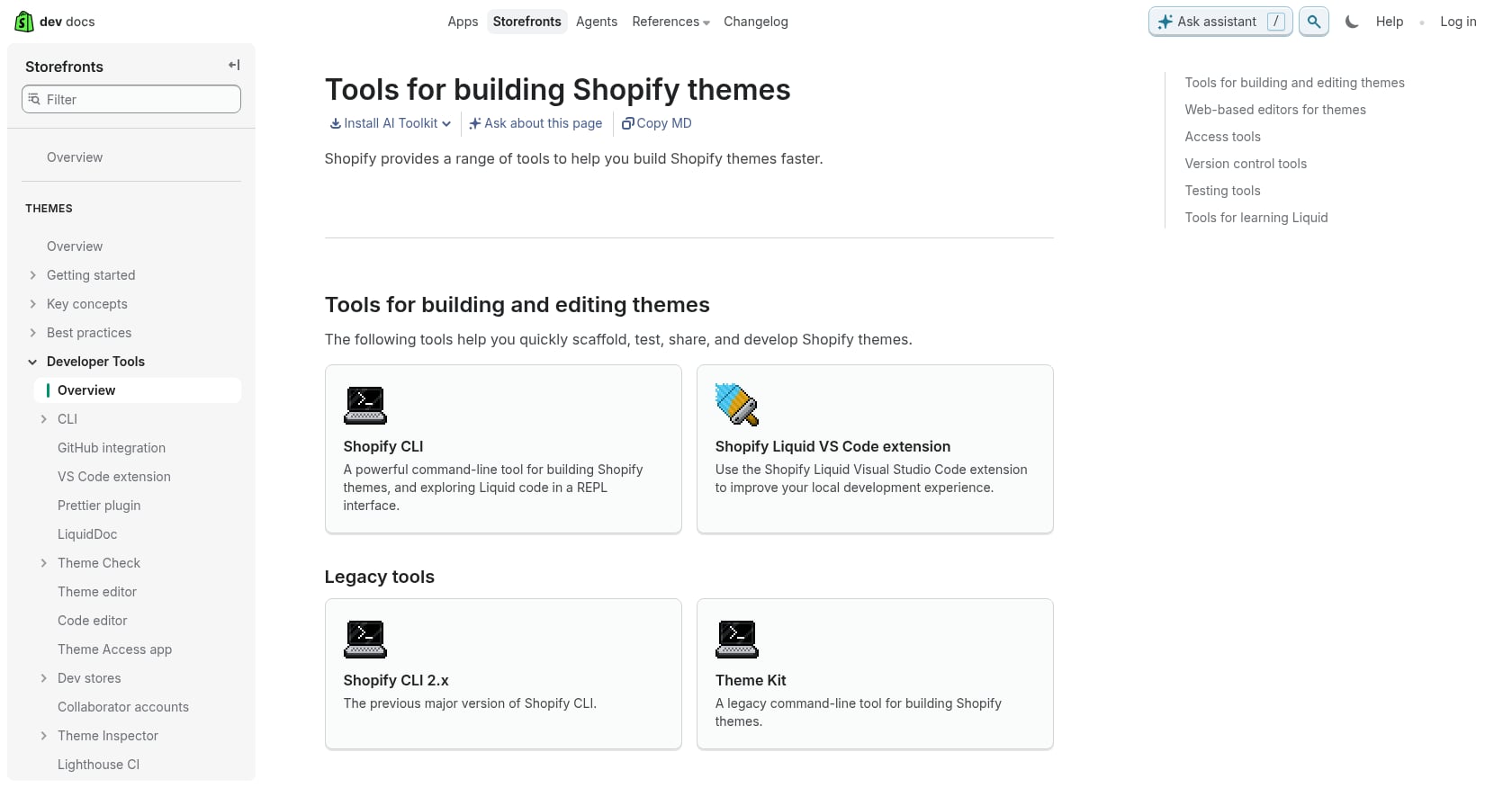
Alongside Online Store 2.0, Shopify invested heavily in the developer experience. Three tools stand out:
- GitHub integration: Version control directly in theme development. Changes can be reviewed, branched, and merged before they touch a live theme. This eliminates the “cowboy coding” problem where someone edits the live theme and breaks something.
- Shopify CLI: Create development themes, hot-reload changes locally, and push updates from the command line. Developers can work in their preferred code editor instead of the web-based editor.
- Theme Check: A linter that flags Liquid errors, deprecated patterns, and best-practice violations as code is written. Think of it as spell-check for theme code.
Why merchants should care: You may never use these tools yourself, but your developer or agency will. Stores built with proper version control, automated testing, and CLI workflows have fewer bugs, faster deployments, and easier rollbacks when something goes wrong. If you’re evaluating an agency to build or migrate your Shopify store, ask whether they use these tools. If the answer is no, that’s a red flag.
9. Native Storefront Filtering
Best for: Stores with growing catalogs that need shoppers to find products quickly without third-party filter apps.
Before OS 2.0, collection filtering on Shopify was essentially a hack. Merchants used tags, custom JavaScript, or third-party apps to create filter menus. These solutions were often slow, inconsistent across themes, and brittle.
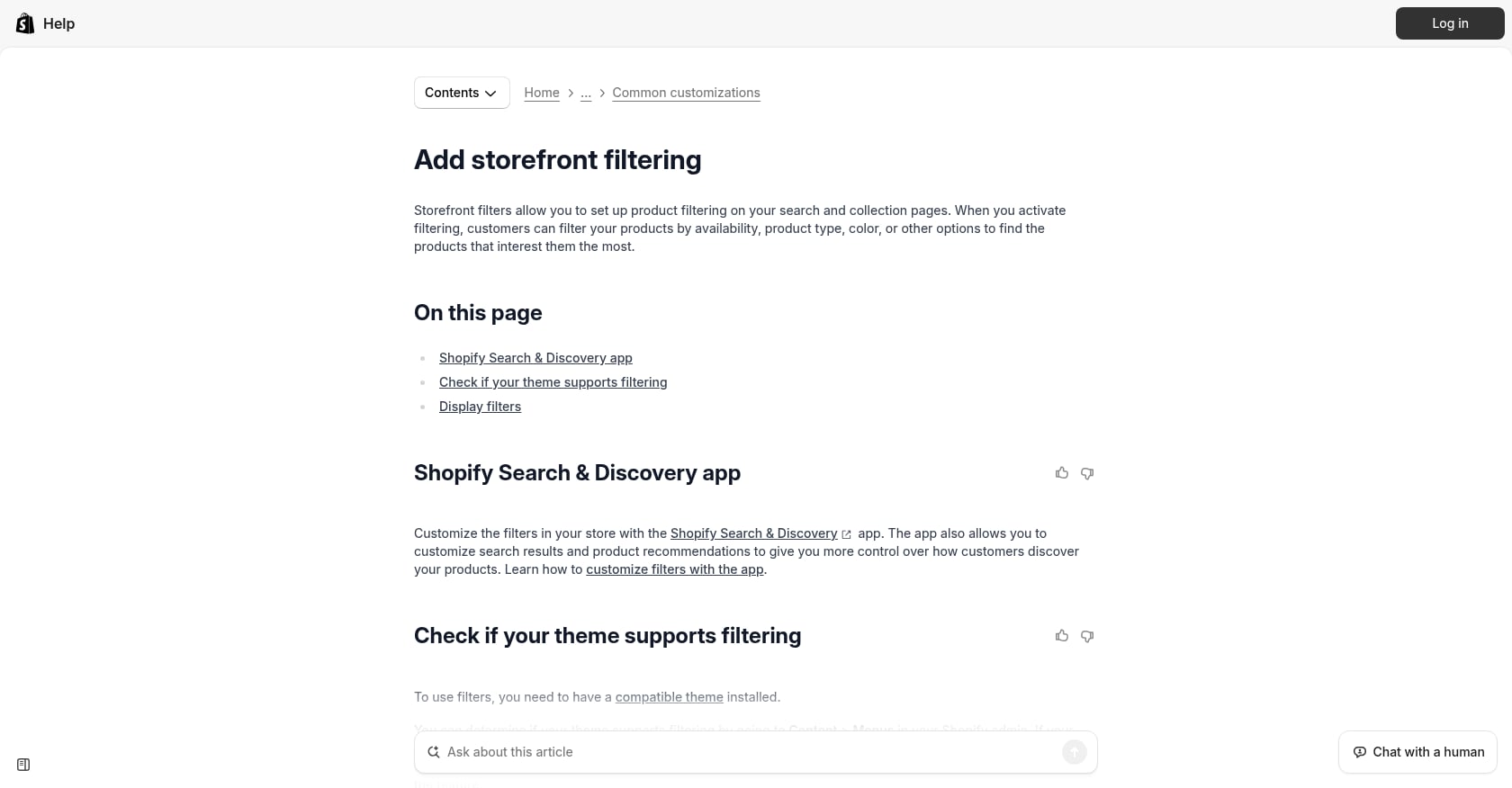
Shopify 2.0 introduced a proper native filtering system built into the platform:
- Filter by availability, price, product type, vendor, and custom metafields
- Works natively with OS 2.0 themes, no app installation required
- Filters update the page URL, which means filtered views are indexable by search engines
Revenue angle: For stores with hundreds or thousands of SKUs, filtering directly impacts how quickly shoppers find what they’re looking for. Fewer clicks to the right product means lower bounce rates and higher add-to-cart rates. The fact that filtered URLs are crawlable also creates long-tail SEO opportunities for specific product categories.
The gotcha: Native filtering handles most use cases, but stores with very complex filtering needs (multi-select across many dimensions, color swatches, custom sort orders) may still need a third-party solution. Test the native system first before adding another app.
10. Dynamic Sources and Contextual Content
Best for: Brands that want automated, context-aware content across templates without duplicating work.
Dynamic sources are an underappreciated feature of Shopify Online Store 2.0. They let you connect section content to product, collection, or metafield data so that a single template automatically displays different content depending on context.
For example, you can build one product page template with a “Materials & Care” section that pulls from a metafield. Every product that has that metafield populated will display the information automatically. Products without it simply skip the section. No conditional logic needed in the template itself.
Practical applications:
- Certification badges that appear only on certified products
- Size charts that vary by product category
- Promotional banners tied to collection-level metafields
- Brand story blocks that change based on vendor metaobjects
Revenue angle: Personalization at scale without developer involvement. Brands running paid media across product categories can create tailored landing experiences using dynamic sources, making ad-to-page relevance tighter and improving quality scores and conversion rates simultaneously.
If you’re running paid campaigns alongside these optimizations, understanding how D2C ad strategies differ from marketplace-first approaches helps you allocate budget more effectively.
11. Performance and Core Web Vitals Gains
Best for: Every Shopify store. This is the feature that affects all the others.
When OS 2.0 launched, it was framed as a flexibility update. In 2026, its bigger story is performance. The entire architecture, from JSON templates to app blocks to Dawn’s minimal JavaScript, was designed to produce faster page loads and better Core Web Vitals scores.
The numbers:
- Only 43 to 48% of Shopify stores pass all three Core Web Vitals (Google CrUX 2025, PandaCodeGen 2026)
- Conversion drops 4.42% for each additional second of load time between 0 and 5 seconds
- Lambert saw 32% more customers reaching checkout after migrating to OS 2.0
The app bloat paradox: OS 2.0 makes app integration easier through app blocks, which leads stores to install more apps, which kills the performance gains the architecture was designed to deliver. CRO practitioners regularly find 200 to 600ms of page-speed bloat hiding in apps the store owner forgot they installed. The average Shopify store runs 8 to 14 apps, and most inject render-blocking JavaScript on every page.
Fixing app bloat isn’t a CRO experiment. It’s table-stakes remediation that typically produces a 3 to 8% conversion lift on its own.
What to do about it:
- Audit installed apps quarterly. Remove anything not actively contributing to revenue.
- Check that remaining apps use Theme App Extensions, not legacy code injection.
- Set up GA4 ecommerce tracking to measure the speed-to-conversion relationship in your own data, not just Lighthouse benchmarks.
- Test with real user data (CrUX, Search Console) rather than relying solely on lab tools.
Still on 1.0? Here’s Your Upgrade Path
Less than 1% of new Shopify themes ship on the legacy 1.0 architecture. The ecosystem has moved on. Legacy free themes like Supply and Express will not receive 2.0 upgrades, and multiple Shopify Community threads confirm this. The question isn’t whether to migrate. It’s how.
Path 1: Manual Template-by-Template Migration
Convert your existing Liquid templates to JSON one at a time. This preserves your current theme’s design while modernizing the underlying architecture.
Best for: Stores with light customization and a developer who knows Liquid well. Lowest risk of visual changes, highest time investment.
Path 2: Full Theme Switch
Adopt a new 2.0-native theme (Dawn, or a premium option like Impulse or Prestige) and rebuild your customizations from scratch.
Best for: Stores where a clean rebuild is a better investment than porting forward a legacy theme. This is often the right call for heavily customized stores where the existing codebase has accumulated years of patches and workarounds.
Path 3: Hire a Shopify Partner
Recommended for stores with complex setups, large catalogs, or heavy app dependencies.
Best for: One merchant on the Shopify Community described running a mega catalog with 6,000+ SKUs and wanting to migrate without impacting sales or ad performance. The community’s response was direct: this is a complex, store-specific process that goes beyond a single forum discussion. Another store owner reported that attempting to build out 2.0 within their existing 1.0 store interfered with the live theme. These are exactly the scenarios where professional help pays for itself.
For stores migrating from another platform entirely, the ecommerce platform migration guide covers the broader decision framework, while the Magento to Shopify migration checklist handles that specific path.
Migration Risks to Plan For
- App compatibility: Apps using legacy code injection may break on a 2.0 theme. Audit every app before migrating.
- Large catalog data transfer: Metafield data, custom content, and URL structures all need to be mapped and verified.
- Live site interference: Don’t build 2.0 inside your active 1.0 theme. Use a development theme or duplicate store.
- Checkout and tracking breaks: Verify all tracking pixels, conversion events, and checkout customizations work correctly post-migration.
Everything new in the Shopify ecosystem is being built around Online Store 2.0. Migration is inevitable. The only real decision is whether you do it strategically now or reactively later.
If you want a professional assessment of your current store architecture, request a free brand audit to identify gaps and build a migration roadmap.
OS 2.0 Is the Starting Line, Not the Finish
Shopify Online Store 2.0 gives you the infrastructure: faster pages, modular architecture, native data tools, and a better editing experience. But infrastructure alone doesn’t move revenue. What you do with it, the CRO experiments you run, the PDP layouts you test, the app bloat you eliminate, the tracking you set up correctly, determines whether you capture the gains the platform makes possible.
For brands running both marketplace and D2C channels, OS 2.0’s modular architecture makes landing page testing and product page optimization dramatically faster. That means faster ROAS improvement cycles on Google and Meta, tighter feedback loops between ad performance and on-site conversion, and compounding returns over 90-day growth sprints.
The brands winning on Shopify in 2026 aren’t just on OS 2.0. They’re using every feature deliberately, measuring everything, and iterating weekly.
Ready to see where your store stands? EZCommerce’s D2C Growth Suite covers Shopify builds, migrations, CRO, analytics, and paid media under one unified plan.
FAQ
What is Shopify Online Store 2.0?
Shopify Online Store 2.0 is a major architectural update to the Shopify theme platform, launched in June 2021. It replaced the rigid Liquid-based template system with JSON templates, introduced sections on every page (not just the homepage), added native metafields, and enabled drag-and-drop app blocks. It’s now the default architecture for all modern Shopify themes.
Is Online Store 2.0 free?
Yes. Online Store 2.0 is a platform-level update included with all Shopify plans. Dawn, the reference theme built for OS 2.0, is also free. You don’t pay extra for the architecture itself, though premium 2.0 themes and developer help for migration carry their own costs.
How do I know if my Shopify store is on 1.0 or 2.0?
Go to your Shopify admin, navigate to Online Store, then Themes. If your active theme supports sections on every page (not just the homepage) and uses JSON templates, you’re on 2.0. If your theme is an older free theme like Debut, Supply, or Express, you’re almost certainly on 1.0. Shopify’s theme documentation lists all 2.0-compatible themes.
Will migrating to OS 2.0 break my apps?
It can. Apps that rely on legacy code injection rather than Theme App Extensions may not work correctly on a 2.0 theme. Before migrating, audit every installed app for OS 2.0 compatibility. Check the app listing for “Online Store 2.0” or “Theme App Extension” mentions, or contact the developer directly.
How much faster is Dawn compared to Debut?
Dawn is 35% faster than Debut in lab conditions, with Lighthouse scores of 96 (desktop) and 93 (mobile). However, real-world performance depends heavily on what you add to the theme. Stores with 5 to 10 apps, custom fonts, and unoptimized images typically score 55 to 65 on mobile PageSpeed.
Should I migrate a heavily customized 1.0 store or start fresh?
For heavily customized stores, a clean rebuild on a modern 2.0 theme is often a better investment than porting a legacy theme forward. The accumulated patches, workarounds, and deprecated code in an old theme can create more problems than they solve. A fresh build also lets you rethink page architecture around current conversion data rather than historical design decisions.
How does OS 2.0 help with SEO?
Three ways. First, native metafields let you add structured, keyword-rich product data that search engines can crawl. Second, the faster page load times from JSON templates and minimal JavaScript improve Core Web Vitals scores, which are a Google ranking factor. Third, native storefront filtering creates crawlable filtered URLs that can rank for long-tail product queries.
When should I NOT migrate to OS 2.0?
Hold off if your store depends on apps that haven’t been updated for 2.0 compatibility and you can’t find alternatives. Also pause if you’re in the middle of a high-revenue season (Black Friday, holiday) where any disruption to the live site carries outsized risk. Plan the migration for a lower-traffic period and test thoroughly on a development store first.